


Theme Help
Installation
Download Skrollex .zip file from ThemeForest and unzip that file to your desktop. The skrollex.zip is used to install via WordPress. It is located inside downloaded .zip file.
You need to install the free WordPress Theme Layers 2.0.10.fixed before installing Skrollex.
Layers and Skrollex can be installed like any WordPress theme.
Please note that Skrollex has not been tested with Layers for Elementor and with Layers Pro.
You must have Layers already installed, but it does not need to be activated.
It is recommended to install the theme via FTP. If you are unable to install the theme via Administration Panel it means that theme zip file is larger than max upload file size allowed in configuration of your server. Please either increase that limit or upload the theme via FTP or via cPanel.
Please make sure that your system meets minimal requirements:
- PHP 5.4 or newer
- Mysql 5.x
- WordPress 4.4.2 or newer
How To



Important notes
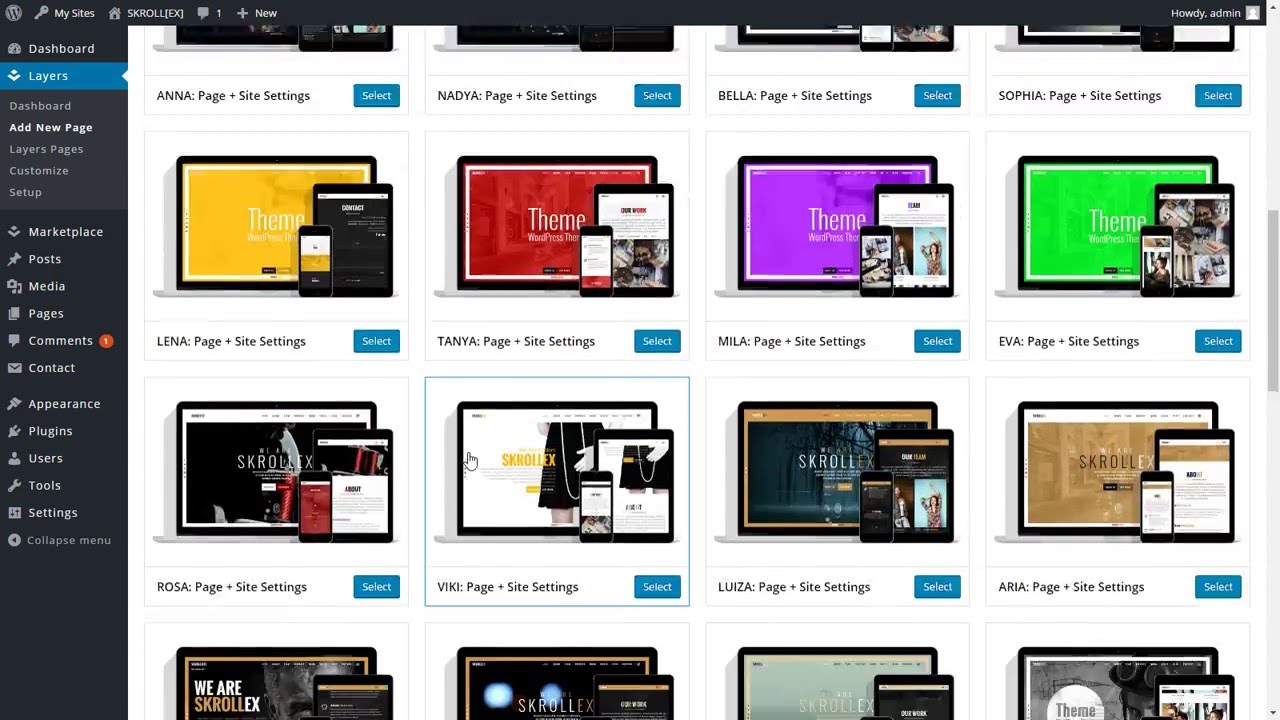
Presets with site settings
If page preset named as "...: Page + Site Settings" then page will be created and also these Customizer settings will be changed: 'Site Settings / Colors', 'Site Settings / Fonts', 'Site Settings / Appearance / Site Border'.
Keep in mind that these changes will affect the entire site.
Editable Areas
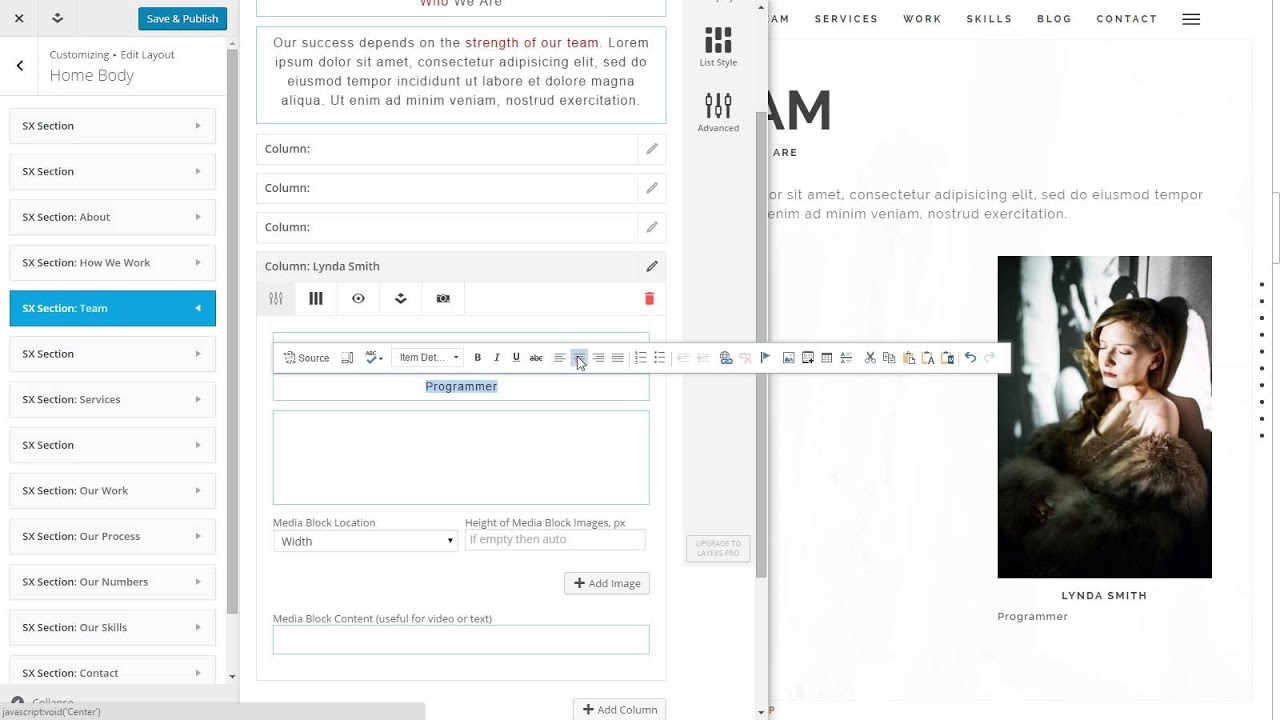
Editable areas in SX Section are divided into three parts with a blue border. These parts differ only by default style of paragraph. This is done to make it easier to stick to the same structure in all sections. You can change paragraph style and use these parts arbitrarily.
Theme Shortcodes
sx_button
Displays link as button.
Parameters
- link - link url. Defaylt: #.
- colors - color scheme. Possible values: A, B...Z. Default: A.
- border - border style. Possible values: normal, hard, lite, no. Default: normal.
- new_window - open in new window. Possible values: yes, no. Default: no.
- hover - hover effect style. Possible values: light, dark. Default: light.
Example
[sx_button link="#about" colors="O" border="hard" new_window="no" hover="light"]About[/sx_button]
sx_icon_link
Displays icon as link.
Parameters
- link - link url. Defaylt: #.
- new_window - open in new window. Possible values: yes, no. Default: no.
- class - icon font class. Possible values: icon classes of Font Awesome or Linecons.
Example
[sx_icon_link link="https://youtu.be/QWzrek4TVck" class="fa fa-youtube fa-3x" new_window="yes"]
sx_icon
Displays icon.
Parameters
- class - icon font class. Possible values: icon classes of Font Awesome or Linecons.
Example
[sx_icon class="fa fa-lightbulb-o fa-3x"]
sx_animated_text
Displays animated text.
Parameters
- effect - animation effect. Possible values: A, B. Default: A.
Example
[sx_animated_text effect="A"]Simple Text/Just Example/Other Text[/sx_animated_text]
sx_banner
Displays banner cell. See banner cells after section Home in demo.
Parameters
- colors - color scheme. Possible values: A, B...Z. Default: A.
- title - banner cell title.
- subtitle - banner cell subtitle.
- overlay - overlay color. Possible values: Primary, Success, Info, Warning, Danger. Default: Success.
Example
[sx_banner colors="O" overlay="Success" title="Cell Title" subtitle="Subtitle"]Text[/sx_banner]
sx_counter
Displays counter. See section Our Numbers in demo.
Parameters
- count - counter count. Possible values: integer numbers. Default: 0.
- label - counter label.
- colors - color scheme. Possible values: A, B...Z. Default: A.
Example
[sx_counter count="3459" label="Followers" colors="O"]
sx_skill
Displays animated bar. See section Our Skills in demo.
Parameters
- percent - bar size. Possible values: integer numbers. Default: 0.
- label - bar label.
- bar-colors - bar color scheme. Possible values: A, B...Z. Default: A.
- label-colors - label color scheme. Possible values: A, B...Z. Default: A.
Example
[sx_skill label="Wordpress" percent="70" bar-colors="H" label-colors="I"]
sx_recent_posts
Displays list of recent posts.
Parameters
- number_posts - list size. Possible values: integer numbers. Default: 5.
- more_text - text for link to all posts. Default: More...
Example
[sx_recent_posts number_posts="5" more_text="More..."]
sx_map
Displays Google Map button.
Parameters
- button - button text. Default: Locate Us On Map.
- latitude - map latitude.
- longitude - map longitude.
- zoom - map zoom. Default: 14.
- colors - button color scheme. Possible values: A, B...Z. Default: A.
sx_map_marker - child shortcode for sx_map
Parameters
- text - marker text. Default: Our awesome location.
- latitude - marker latitude.
- longitude - marker longitude.
Example
[sx_map button="Locate Us On Map" latitude="42.487606" longitude="-71.115661" zoom="14" colors="A"][sx_map_marker text="Our awesome location" latitude="42.487606" longitude="-71.115661"][sx_map_marker text="Our sales office" latitude="42.485100" longitude="-71.113256"][/sx_map]
Contact Form
Contact form handled by plugin Contact Form 7. You'll see a message in Dashboard, if the plug is not installed. Install and activate the plugin to properly work of contact form.
You can customize the form and the mail contents flexibly with simple markup. The form supports Ajax-powered submitting, CAPTCHA, Akismet spam filtering and so on. You can find docs, FAQ and more detailed information about Contact Form 7 on contactform7.com.
Fancybox
Some items are handled by the plugin Easy FancyBox. You'll see a message in Dashboard, if the plugin is not installed. Install and activate Easy FancyBox.
Sources and Credits
- Photos by:
- THOR, CC BY 2.0 License
- Shaun Fisher, CC BY 2.0 License
- John O'Nolan, CC BY 2.0 License
- stephane, CC BY 2.0 License
- Katya Alagich, CC BY 2.0 License
- Luis Hernandez, CC BY 2.0 License
- Jim Lukach, CC BY 2.0 License
- Johan Larsson, CC BY 2.0 License
- John Kraus, CC BY 2.0 License
- Pexels, CC0 License
- Stocksnap, CC0 License
- Picjumbo, Picjumbo License
- Video by:
- Icons by:
Table of contents
- Theme Installation
- How To
- Create Page From Preset
- Create Section
- Set Section Background
- Set Page Background
- Set Video Background
- Set Column Background
- Change Section Color Scheme
- Change Site Colors
- Customize Color Scheme
- Change Fonts
- Embed External Media
- Format Text
- Highlighting in Site Title
- Set Column Icons
- Create Circle Icons
- Set Column Animation
- Image Hover (Our Team)
- Create Gallery
- Important notes
- Shortcodes
- Contact Form
- Fancybox
- Sources and Credits